Outsourced IT support means handing your business’s technology management to an external team that monitors, maintains, and secures your systems under a fixed monthly agreement. For most Sydney businesses with 20 to 250+ staff, it replaces the need to build and retain an internal IT department while delivering broader coverage than a single hire ever could.
If you’re weighing up whether to hire internally or outsource, the question isn’t really about control. It’s about what kind of coverage your business actually needs, and whether one person (or a patchwork of vendors) can realistically deliver it.
What does outsourced IT support actually include?
A properly structured outsourced IT function covers everything an internal IT department would, plus a few things most internal hires can’t.
At its core, you get a 24/7 IT helpdesk for your team to log issues, proactive monitoring across your network and devices, patch management to keep systems current, vendor management so you’re not chasing your internet provider or phone company yourself, and regular strategic reviews that tie your technology to where your business is heading.
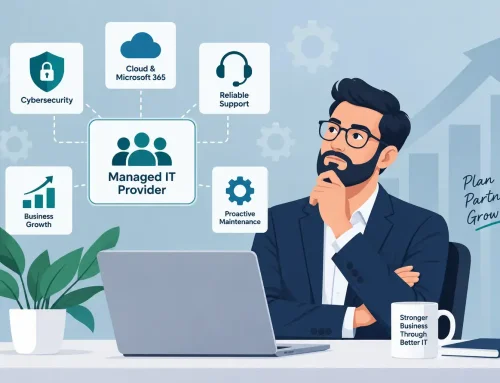
Beyond the basics, a strong outsourced provider also delivers cybersecurity services (endpoint detection, email security, security operations centre monitoring), Microsoft 365 administration and security hardening, cloud infrastructure management, backup and disaster recovery, and IT procurement.
The practical difference between outsourced IT and the old break-fix model is that you’re not calling someone when things go wrong. They’re already watching. Problems get caught and resolved before your team notices them, which means less downtime, fewer disruptions, and more hours spent on revenue-generating work.
How much does outsourced IT cost compared to hiring internally?
This is usually the first question, and the answer is clearer than most people expect.
An IT manager in Sydney earns an average base salary of $134,000 to $165,000 per year, depending on the source (Glassdoor, PayScale, and SalaryExpert all report within this range for 2026). Add superannuation at 11.5%, annual leave, sick leave, long service leave provisions, professional development, and the recruitment cost to find them in the first place, and the true annual cost sits closer to $170,000 to $200,000.
For that investment, you get one person. That person might be excellent at helpdesk support but stretched thin on cybersecurity. They might know Microsoft environments inside out but have no experience with Apple deployments. When they take leave, your business has no IT coverage. When they leave the company, you start the hiring cycle again.
Outsourced IT support for a 50-user business with comprehensive coverage (helpdesk, cybersecurity, cloud, monitoring, vendor management) typically runs $100 to $250 per user per month (IT Start, 2026). At the midpoint, that’s roughly $9,000 per month, or $108,000 per year. For less than the loaded cost of a single hire, you get a full team of specialists covering every discipline, available around the clock, with no recruitment gaps and no single point of failure.
| Hiring an IT manager | Outsourced IT support (50 users) | |
|---|---|---|
| Annual cost | $170,000 to $200,000 (loaded) | $72,000 to $150,000 depending on scope |
| Coverage hours | Business hours (plus goodwill) | 24/7 monitoring and support |
| Specialisations covered | 1 to 2 (generalist) | Full team: helpdesk, security, cloud, networking, strategy |
| Leave and absence cover | None without backfill | Built in to the team model |
| Cybersecurity depth | Limited unless security-specialist hire | SOC monitoring, EDR, pen testing, email security |
| Scalability | Add headcount = add cost | Add users to existing agreement |
This isn’t about outsourcing being “cheaper.” It’s about what your business gets for the investment. A team with depth across every discipline, or one person stretched across all of them.
For a detailed pricing breakdown, see our guide on what managed IT services cost in Australia.
How does the day-to-day actually work?
This is where most businesses hesitate, because outsourcing sounds like losing control. In practice, a well-run outsourced IT function feels closer to gaining it.
Your team logs support requests through a ticketing system, email, phone, or chat. Urgent issues get triaged and escalated immediately. Routine requests (password resets, software installs, access changes) are handled within agreed timeframes, often within the hour for standard items.
Behind the scenes, your provider is monitoring your network, endpoints, and cloud environment around the clock. They’re applying patches, reviewing security alerts, managing your Microsoft 365 tenant, and keeping your backup and recovery systems tested and current. You receive regular reporting on system health, ticket volumes, resolution times, and security posture
The strategic layer is where outsourced IT earns its value beyond break-fix. A good provider runs quarterly business reviews where they walk you through your technology roadmap: what’s working, what’s ageing, what needs investment before it becomes a problem, and how your IT aligns with where your business is heading over the next 12 to 24 months. This is the vCIO (virtual Chief Information Officer) function that most businesses can’t justify as a standalone hire but benefit enormously from.
You don’t lose visibility. You gain it. Most business owners who outsource their IT tell us they understand their technology environment better after the switch than before, because they’re getting structured reporting and proactive recommendations instead of silence punctuated by emergencies.
When does it make sense to outsource IT support?
Not every business needs to outsource, and not every business is ready. But there are clear signals that the current setup isn’t working.
You have no dedicated IT resource. Your office manager or a tech-savvy team member is handling IT alongside their actual job. Issues pile up, security is reactive, and nobody is thinking strategically about technology. This is the most common starting point for outsourcing, and the one where the impact is most immediate.
You have one IT person who’s stretched too thin. They’re good at what they do, but they can’t be an expert in helpdesk support, cybersecurity, cloud infrastructure, networking, vendor management, and strategic planning simultaneously. They’re spending most of their time on tickets and none on the projects that would actually move the business forward. In this case, outsourcing doesn’t replace them. A co-managed model pairs them with a team that handles the volume and the specialisations they can’t cover alone.
You’re managing multiple vendors and nobody owns the full picture. Your internet provider, phone system, IT support, and cloud services are all with different companies. When something breaks, the finger pointing starts and you’re the one in the middle coordinating. A consolidated outsourced provider brings all of this under one agreement, one team, and one point of accountability.
You’ve had a security incident or a near miss. A ransomware scare, a phishing email that got through, a data breach at a business like yours in the news. The ASD’s 2024–25 Annual Cyber Threat Report found the average cost of cybercrime for Australian small businesses rose to $56,600 (ASD, 2024–25). That’s a wake-up call for any business that doesn’t have dedicated security monitoring in place.
You’re growing and your IT can’t keep up. New staff, new offices, new applications, new compliance requirements. Every growth milestone puts more pressure on your technology, and the gaps get wider. Outsourcing gives you a platform that scales with the business instead of a setup you constantly outgrow.
What should I look for in an outsourced IT provider?
The shortlist criteria are the same as choosing any managed IT partner, but a few things matter more when you’re outsourcing the entire function.
Local presence. For a Sydney business, an outsourced provider with engineers based in Sydney can dispatch on-site support within hours. An interstate or offshore team can handle remote work, but when your server room needs attention or a new office needs cabling, local matters.
Breadth of capability. If you’re replacing the need for an internal IT department, your provider needs to cover every discipline: helpdesk, cybersecurity, cloud, networking, Microsoft 365, and ideally Apple business solutions if your team runs mixed environments. A provider that only does helpdesk support and refers you elsewhere for security or cloud is just another vendor in the chain.
Transparent reporting. You should know what’s happening with your technology at all times, not just when something breaks. Monthly reports, ticket analytics, security summaries, and quarterly strategic reviews are the standard for a provider that treats outsourced IT as a partnership, not a help desk.
A clean transition process. Switching to outsourced IT involves documentation handover, credential transfers, network audits, and onboarding your team. Ask how they handle it and how long it takes. A structured transition with minimal disruption is the sign of a provider who’s done this before.
For a deeper framework, read our guide on how to choose a managed IT provider in Sydney.
Take the next step
If you’re spending more time managing your technology (or your IT vendors) than running your business, it’s worth seeing what a properly outsourced IT function looks like for a business your size. A free IT assessment gives you a clear picture of your current environment, the gaps, and what comprehensive outsourced support would look like in practice.
Book a free IT assessment or call TECHD (1300 4 83243).
Frequently Asked Questions
What does outsourced IT support include?
Outsourced IT support typically covers helpdesk support, 24/7 monitoring, cybersecurity, Microsoft 365 management, cloud infrastructure, backup and disaster recovery, vendor management, and strategic technology planning. The scope depends on your agreement, but a comprehensive provider delivers everything an internal IT department would, with broader specialist coverage.
How much does outsourced IT support cost in Sydney?
Most Sydney businesses pay between $100 and $250 per user per month for outsourced IT support, depending on scope and security inclusions. A 50-user business with full coverage typically spends $5,000 to $12,500 monthly. Compare that to the $170,000 to $200,000 loaded annual cost of a single IT manager.
Is outsourced IT support secure?
Yes, when you choose the right provider. A strong outsourced IT partner delivers better security than most internal setups because they run dedicated security operations centres, deploy enterprise-grade endpoint detection, and monitor your environment 24/7. One person can’t match the coverage of a specialist security team.
How long does it take to transition to outsourced IT?
A typical transition takes two to four weeks. This includes documentation handover from your current provider or internal resource, credential transfers, a full network and security audit, and onboarding your team to the new support channels. A good provider manages this with minimal disruption to daily operations.
Can I keep my internal IT person and still outsource?
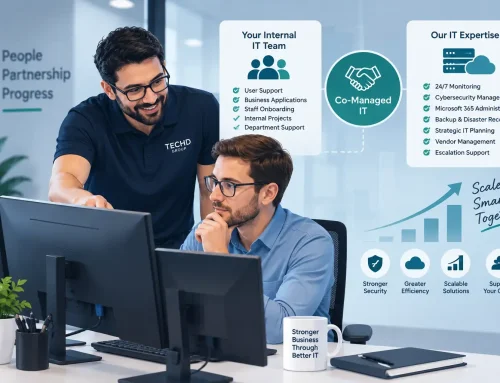
Absolutely. A co-managed IT model pairs your internal resource with an outsourced team. Your IT person focuses on internal projects and day-to-day support while the outsourced provider handles cybersecurity, after-hours monitoring, escalations, and strategic planning. It extends capability without replacing the people you already trust.
What’s the difference between outsourced IT support and break-fix?
Break-fix is reactive. You call when something breaks and pay per incident. Outsourced IT is proactive and ongoing. Your provider monitors, maintains, and secures your systems continuously under a fixed monthly fee. Outsourced IT prevents problems; break-fix responds to them after the damage is done.