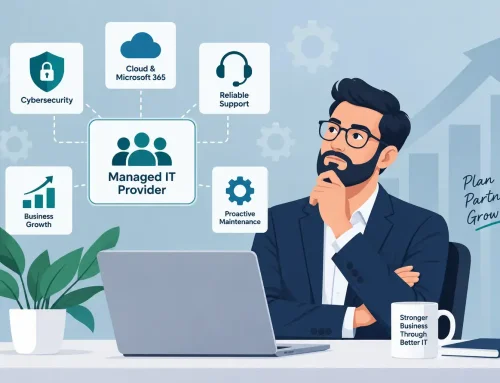
Choosing a managed IT provider in Sydney comes down to five things: local support that actually shows up, cybersecurity built into the service rather than bolted on as an extra, a single vendor model that eliminates finger-pointing, transparent pricing you can plan around, and the ability to scale with your business over the next two to three years. Get these right, and your technology runs your business instead of interrupting it.
The context matters. The ASD’s 2024–25 Annual Cyber Threat Report recorded over 84,700 cybercrime reports in a single year, with the average cost to small businesses rising 14% to $56,600 per incident (ASD, Annual Cyber Threat Report 2024–25). Your IT provider isn’t just keeping the lights on anymore. They’re the front line between your business and a breach that could cost tens of thousands of dollars, or worse, your clients’ trust.
This guide walks you through what to look for, what to ask, and the red flags that save you from repeating a mistake many businesses have already made.
What should managed IT services actually include?
A genuine managed IT service covers your entire technology environment under one agreement, not just a helpdesk you call when something breaks. At minimum, you should expect proactive monitoring, a staffed helpdesk, cybersecurity protection, cloud and Microsoft 365 management, backup and disaster recovery, vendor management, and regular strategic reviews.
The keyword is proactive. The old break-fix model waits for problems. A managed service prevents them. Your provider monitors your systems around the clock, patches vulnerabilities before they’re exploited, and manages your vendors, so you’re not the one chasing three different companies when your internet drops out.
Here’s a practical breakdown of what a comprehensive managed IT agreement looks like:
| What’s covered | What does it mean for your business |
|---|---|
| 24/7 monitoring and helpdesk | Issues caught and resolved before your team notices them |
| Cybersecurity (EDR, SOC, email security) | Protection against ransomware, phishing, and data breaches |
| Microsoft 365 management and security | Properly configured tenants, not default settings with known gaps |
| Cloud infrastructure management | Azure, AWS, or hybrid environments maintained and optimised |
| Backup and disaster recovery | Tested recovery plans, not just backup jobs running in the background |
| Vendor and licence management | One team handling your ISP, phone system, and software renewals |
| Quarterly business reviews | A technology roadmap tied to your growth, not just a ticket summary |
If your current provider only covers some of these or charges extras for security and cloud, you’re comparing apples with oranges when you look at per-user pricing. A $130 per user quote with security excluded is more expensive than a $180 quote that includes everything, once you factor in the add-ons.
How do I evaluate whether an MSP can actually deliver on cybersecurity?
Ask for specifics, not promises. Every managed IT provider in Sydney will tell you they “take security seriously.” The ones who mean it can show you exactly how.
Start with three questions. Does the provider operate a dedicated Security Operations Centre, or are they relying on automated alerts that nobody reviews at 2am? Do they offer CREST-accredited penetration testing, meaning their testing team meets an independently verified standard, or is “pen testing” just a vulnerability scan with a nicer name? And can they demonstrate alignment with the Essential Eight, the Australian Signals Directorate’s baseline cybersecurity framework, at a defined maturity level?
The reason this matters is practical, not theoretical. The ASD’s 2024–25 report found that email compromise and business email compromise fraud were the top two cybercrime threats reported by Australian businesses, accounting for 34% of business reports between them (ASD, Annual Cyber Threat Report 2024–25). These aren’t sophisticated nation-state attacks. They’re opportunistic criminals exploiting weak email security, default Microsoft 365 settings, and providers who only monitor during business hours.
A provider running a 24/7 Security Operations Centre that monitors your endpoints, M365 environment, and firewall logs around the clock is in a fundamentally different category from one that sends you a monthly report of resolved tickets.
Why does a single-vendor model matter for growing businesses?
Because when three vendors are involved and something goes wrong, the first thing that happens is finger-pointing, not problem-solving. Your internet provider blames your IT company, your IT company blames the phone system vendor, and you’re the one sitting in the middle with staff who can’t work.
This is one of the most common frustrations we hear from businesses switching providers. They didn’t just have a bad IT company. They had three or four vendors, none of whom owned the full picture. The result is slower resolution times, conflicting advice, and nobody is accountable for how all the pieces fit together.
A consolidated provider model changes this. When your managed IT services, cybersecurity, cloud, connectivity, and even Apple business solutions sit under one agreement with one team, that gap disappears. One relationship, one monthly fee, one team that knows your entire environment. When something breaks, there’s no escalation chain between companies. The people who manage your network are the same people who manage your security, your phones, and your cloud.
This is particularly relevant for Sydney businesses running mixed environments. If your team uses both Mac and Windows devices (common in creative, architecture, marketing, and professional services firms), most MSPs will support the Windows side and shrug at the Macs. A provider with a formal Apple Business Partnership can deploy, finance, and manage Apple devices alongside your Microsoft stack, which means your creative team and your finance team are both fully supported without needing a second provider.
What does managed IT actually cost in Sydney, and what’s a fair price?
Managed IT services in Australia typically range from $100 to $250 per user per month, depending on scope, security inclusions, and the complexity of your environment (IT Start, Managed Services Pricing in Australia, 2026). For a 25-user business with full security and backup coverage, that translates to roughly $3,500 to $6,000 per month.
But cost comparisons are misleading without scope comparisons. The most important question isn’t “what’s your per-user price?” It’s “what’s included at that price, and what costs extra?”
Check these things before comparing quotes:
- Is cybersecurity (endpoint detection, SOC monitoring, email filtering) included or an add-on?
- Are Microsoft 365 licences bundled or billed separately?
- Does on-site support cost extra, or is it part of the agreement?
- Is there a cap on helpdesk tickets or support hours?
- Is after-hours support covered or billed per incident?
A realistic way to think about it: if your business has 50 staff earning an average of $80,000 a year, one hour of company-wide downtime costs you roughly $2,000 in lost productivity alone. That’s before you count missed client deadlines, reputational damage, or compliance consequences. A $56,600 average cybercrime loss for small businesses (ASD, 2024–25) is more than many businesses spend on managed IT in an entire year.
The right question isn’t “Can we afford managed IT?” It’s “Can we afford the alternative?”
For a detailed breakdown, see our guide on what managed IT services cost in Australia.
How do I know it’s time to switch from my current IT provider?
If your current provider identified problems months ago and still hasn’t fixed them, that’s not a resource issue. It’s an accountability issue. The same applies if you’re managing the relationship more than they’re managing your technology, if support tickets take days instead of hours, or if you can’t get a straight answer about what’s actually being done and why.
Common signals that it’s time to evaluate:
- You’re chasing your provider for updates, not the other way around.
- Security was “on the roadmap” six months ago and still hasn’t been implemented.
- You’re managing multiple vendors yourself because your MSP only covers part of your stack.
- Your team has stopped logging tickets because they don’t trust the response time.
- You can’t clearly see what you’re paying for or how it connects to business outcomes.
Switching providers doesn’t have to be disruptive. A structured transition with proper documentation handover, network credential transfers, and a defined onboarding timeline means your team shouldn’t notice the change except in the improvement. Read our full guide on how to switch IT providers without disrupting your business.
What should I ask before signing with a managed IT provider?
The right questions filter out providers who sell well but deliver poorly. These are the ones that matter most, and why.
“Where are your engineers based, and what’s your actual average response time?” Not the SLA target. The real, measured number from last quarter. A Sydney-based team with engineers across the Northern Beaches, CBD, and surrounding suburbs can dispatch on-site within hours. An interstate team operating remotely cannot. For a business where downtime equals lost revenue, this isn’t a nice-to-have.
“Do you operate a Security Operations Centre, and who staffs it at 2am?” This separates providers who genuinely monitor your environment from those who rely on automated alerts. If nobody’s watching after hours, you’re exposed during the window most ransomware deploys.
“How do you handle a situation where the problem spans multiple vendors, say your internet, your phone system, and your cloud?” This reveals whether you’ll end up in a finger-pointing loop or whether they own the full resolution.
“Can you show me a technology roadmap you’ve built for a business like mine?” A provider focused on business outcomes will show you a plan tied to your growth, not just a list of products to buy. A quarterly business review should cover where you are, where you’re heading, and what technology decisions sit between the two.
“What happens when we need to leave?” A confident provider will have a clean exit process documented. If the answer is vague or defensive, that tells you something about how the relationship will go.
For the full list, see 12 questions to ask before you hire a managed IT provider.
How do I make the final decision with confidence?
Shortlist two or three providers, then meet them. A phone call or video conference tells you more about communication style and responsiveness than any proposal document. Pay attention to how they listen. A provider who jumps straight to a solution before understanding your environment is selling, not solving.
Request a technology assessment. A good provider will audit your current setup (network, security, cloud, devices, vendor contracts) and show you where the gaps are before asking you to sign anything. This isn’t just a sales tactic. It’s how a competent MSP builds the documentation that makes the first 90 days work.
Then check their proof. Ask for references from businesses in your industry and size bracket. Look for named testimonials, not anonymous quotes. A dental practice that upgraded its network and saw immediate improvements in clinical imaging software performance is more relevant to another healthcare business than a vague “great service” quote. A family law firm that chose its provider specifically for data security and client confidentiality is relevant to any professional services firm handling sensitive information.
Trust your experience of the process. If the provider is responsive, clear, and specific during the sales process, that’s how they’ll be as your partner. If they’re slow, vague, or pushing hard for a signature, that’s how they’ll be too.
Take the next step
If your current IT setup is costing you time, confidence, or sleep, or if you’re simply outgrowing what you have, a free IT assessment is the fastest way to see where you stand. No commitment, no pressure. Just a clear picture of your environment and what a properly managed setup looks like for a business like yours.
Book a free IT assessment or call TECHD (1300 4 83243).
Frequently Asked Questions
What are managed IT services?
Managed IT services mean outsourcing your day-to-day technology management (helpdesk, monitoring, cybersecurity, cloud, and vendor management) to a specialist provider for a predictable monthly fee. Instead of reacting to problems, a managed provider prevents them through proactive monitoring and maintenance, freeing your team to focus on the business.
How much do managed IT services cost in Sydney?
Most Sydney businesses pay between $100 and $250 per user per month, depending on scope and security inclusions. A 25-user business with comprehensive coverage typically spends $3,500 to $6,000 monthly. The key is comparing what’s included. A lower per-user price often excludes cybersecurity, after-hours support, or on-site visits.
What’s the difference between managed IT and break-fix IT support?
Break-fix support is reactive. You call when something breaks and pay per incident. Managed IT is proactive. Your provider monitors, patches, and secures your systems continuously to prevent issues. Managed IT is a predictable monthly cost; break-fix is unpredictable and typically more expensive over time because problems escalate before they’re addressed.
How long does it take to switch to a new managed IT provider?
A well-managed transition typically takes two to four weeks, depending on the complexity of your environment. This includes documentation handover, credential transfers, security audits, and onboarding. A good provider will run the transition with minimal disruption. Your team should notice the improvement, not the switch.
Do I need managed IT if I already have an internal IT person?
Often, yes. A co-managed model pairs your internal IT resource with a managed provider’s 24/7 helpdesk, cybersecurity expertise, and vendor management. Your in-house person handles day-to-day tasks and internal projects. The managed provider covers security, after-hours monitoring, escalations, and strategic planning. It extends your IT capability without the cost of a full team.
What industries benefit most from managed IT services in Sydney?
Any business handling sensitive data or relying on technology for revenue benefits, but professional services (law, accounting, financial), healthcare and dental, construction, and creative industries are among the strongest fits. Each has specific compliance, security, and operational requirements that a provider with industry experience can address more effectively than a generalist.